


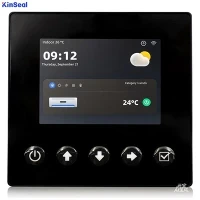


No response to the HMI-PLC Eliminate communication problems failure
On the other hand, if the ping request is not responding, this could be a sign of a serious wiring failure.
First, check the cable for crushing or cutting. If the cable looks good, the problem may be electrical, such as a voltage spike or short before the fault. In these cases, another cable that is confirmed to be in good working order can be connected to the HMI and the PLC for a quick test between terminals. If communication is restored, the existing cable will need to be replaced.
Another reason for communication loss may be related to firewall rules. After these rules are first configured, the communication device should work properly. However, in some cases, firewall rules will inadvertently change when other systems are updated. In this case, the solution is simply to access the firewall configuration in the operating system and allow the TCP/IP port required for PLC-HMI communication.
Identify and troubleshoot HMI screen issues
The HMI screen is a sensitive component needed to operate in harsh environments. HMIs use backlit LCD screens, and the backlight is the first real sign of a problem.
A faulty screen will start to look dim or start to flicker. This is usually a lengthy process of weeks or months while the screen is still running, allowing enough time to plan and execute an HMI replacement. However, backlit failed HMIs can be repaired or sent to a store for refurbishment.
Another potential point of failure is the touch screen. Touch screens can show signs of problems when they do not feel sensitive or are not responsive to touch.
Examples of common HMI touch screen problems. Providing innovative automation
Similar to backlight problems, this deterioration usually takes a long time. Some good ways to extend the life of a touch screen are
Use only your fingers (no stylus or other tools needed)
Avoid pressing hard on the screen
Ensure proper grounding (sometimes problems are caused by long-term exposure to voltage anomalies)
Always put the HMI back in its stand or bracket to reduce the possibility of damage.
HMI damage and prevention
Many HMIs are part of the motion system. If the equipment falls or stops suddenly, it can lead to potential HMI damage. In these cases, the mounting and securing mechanisms must be carefully designed to hold the equipment in place and protect it in these situations. As part of routine maintenance, it is advisable to check these mechanisms frequently for signs of wear and tear.
The HMI is a precision device that may have communication problems, screen problems, or be susceptible to damage. Preventive maintenance troubleshooting is fairly easy. Wires, screens, or mounting devices can be replaced. Monitor these regularly to avoid failure.