


Industrial HMI
What is Industrial HMI
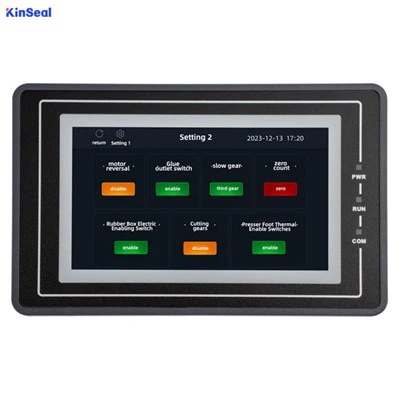
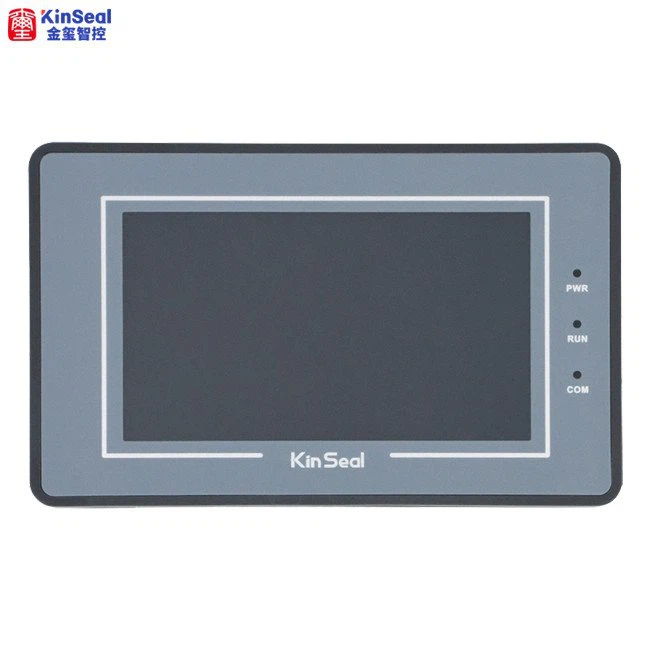
Industry HMI is a complete display system with free design software; this provides an easy way to create intuitive, great touch user interfaces, even for beginners. This will reduce development time and costs by 90%. Secondly, our product can provide underlying driver support and has a very silky smooth interface.Industry HMI can store your data, profiles, image files, font files, video files and audio files, etc. Secondly, our LCD touch screens make it easy to create intuitive touch interfaces even for beginners by adding image files as backgrounds and defining functionality by component.
Advantages of Industrial HMI
Improved Productivity
A human-machine interface, i.e. HMI, improves the performance of the given task. Even if a person can perform that same task, this kind of software/device increases productivity in an enormous amount. Using an HMI facilitates more work in any industry in a short time.
Keeping Records
They have high abilities to keep records. By inserting instructions into an HMI, the system to which it is connected can automatically store the data. Such data can be utilized later for other researches, for example, troubleshooting future analysis.
Internet of Things (IoT)
Internet of things refers to a combination of devices that are all coupled to the internet. HMIs can also connect to the internet since they are devices too. This enables remote access to the devices.
Reduce the Cost of Hardware
An HMI reduces the expense that an industry acquires in terms of devices like consoles, connections, and control panels. An HMI can replace them, thus saving on costs.




Why Choose Us
Team Introduced
Kinseal intelligent control focuses on technological innovation and product quality. It has an independent R&D and technical team. In addition to meeting the application design and development of conventional products, it is also good at providing customers with personalized customized product development and professional technical support services.
Wide range of applications
They are widely used in the fields of automotive instruments, charging piles of new energy vehicles, storage only, instruments and meters, artificial intelligence, home appliances, smart home, industrial automation equipment, handheld equipment, medical equipment, security equipment and so on.
Quality Control
Kinseal intelligent control products ensure superior performance and excellent quality of products through rigorous design and development, standardized production and strict quality control.
Our Factory
Shenzhen Kinseal Intelligent Control Technology Co., Ltd., established in 2015, is a national high-tech enterprise integrating R&D, production and sales. The company has been engaged in the development and application of industrial control touch screen, industrial control core board, human-computer interaction display terminal and serial human-computer interaction display module.
Types of Industrial HMI
The Pushbutton Replacer
Before the HMI came into existence, a control might consist of hundreds of pushbuttons and LEDs performing different operations. The pushbutton replacer HMI has streamlined manufacturing processes, centralizing all the functions of each button into one location. The pushbutton replacer takes the place of LEDs, On/Off buttons, switches, or any mechanical device that performs a control function. The elimination of these mechanical devices is possible because the HMI provides a visual representation of all these devices on its LCD screen, while performing all the same functions.
The Data Handler
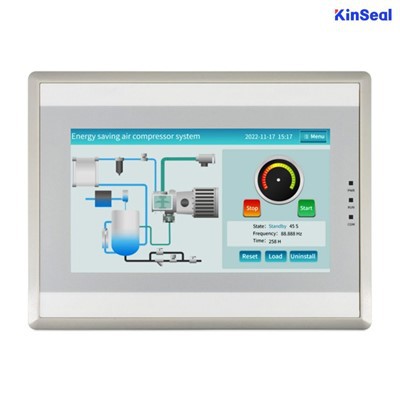
The data handler is perfect for applications requiring constant feedback from the system, or printouts of the production reports. With the data handler, you must ensure the HMI screen is big enough to display information such as graphs, visual representations of data, and production summaries. The data handler includes such functions as recipes, data trending, data logging and alarm handling/logging. The data handler is used for applications that require constant feedback and monitoring. Often these data handlers come equipped with large capacity memories.
The Overseer
Anytime an application involves SCADA or MES, an overseer HMI is extremely beneficial. The overseer HMI will most likely require Windows to operate, and have several Ethernet ports. The overseer works with SCADA and MES. These are centralized systems that monitor and control entire sites or complexes of large systems spread out over large areas. An HMI is usually linked to the SCADA system's databases and software programs, to provide trending, diagnostic data, and management information.
Size of the panel
The size of the panel depends on the application, operator's environment, and the information that needs to be displayed on the screen. For instance, if the panel is meant for a single operator, a 7-inch panel may suffice, but if multiple operators are required to use the panel, you may need a larger screen. Moreover, if the system requires a lot of data to be displayed on the screen, a larger panel would be recommended.
The environment
The environment that the HMI panel will operate in is also a crucial factor to consider when choosing the right panel. If the panel will be used in a harsh or hazardous environment, you will need a panel that is tough enough to withstand such conditions. For instance, you may need a panel that is dustproof, waterproof, or shockproof.
Interface
The interface of the HMI panel is also an essential factor to consider when choosing the right panel. The interface should be user-friendly and easy to understand. Ensure that the panel allows the operators to interact easily with the system and provide feedback. Additionally, the panel should support various communication protocols, including Ethernet, serial communication, USB, and others.

Functions
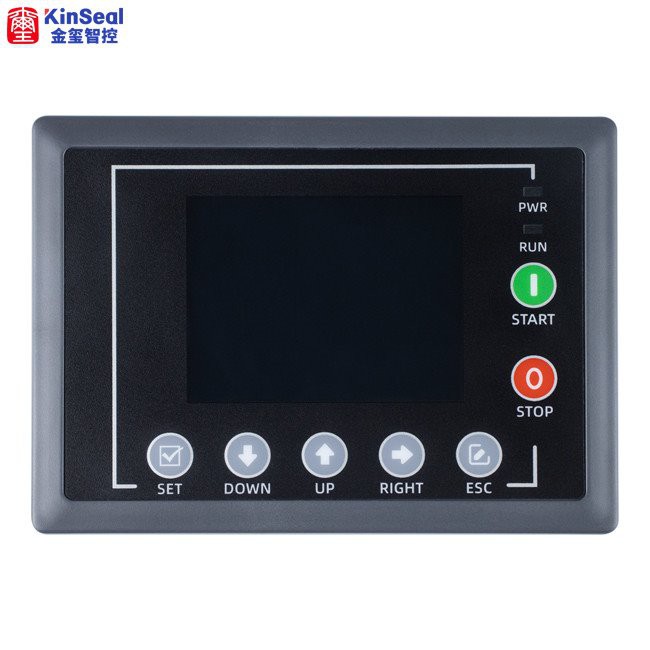
The functions that the HMI panel is expected to perform are also a crucial factor to consider when selecting the right panel. The panel should be capable of performing all the functions that are required in your specific application. This includes machine control, data display, alarms, and others.
Choosing the right HMI panel for your application
After understanding the application, size, environment, interface, and functions required, it is time to choose the right HMI panel. Generally, HMI panels come in three types: standalone, embedded, and panel PC.
Standalone HMI panel
A standalone HMI panel is a device that is specifically designed for machine control, and it operates independently of other devices. This type of HMI panel is mostly used in small control systems and for specific applications.
Embedded HMI panel
Embedded HMI panels are integrated into the machinery to provide an interface for machine control. These panels are installed and programmed by the machinery manufacturers and require little or no programming on the user's end.
Factors to consider when choosing the type of HMI panel
When choosing between the three types of HMI panels, several factors need to be considered, including cost, ease of installation, maintenance, and accessibility.
Cost
Standalone and embedded HMI panels are usually cheaper than panel PCs. However, they may require additional hardware and software components to perform specific functions. Panel PCs may be cost-effective in the long run since they combine both the HMI panel and a computer, eliminating the need for extra components.

Ease of installation
Embedded HMI panels are usually the easiest to install since they are integrated into the machinery by the manufacturer. Standalone HMI panels and panel PCs may require additional installation since they are installed externally to the machinery.
Maintenance
Standalone and panel PC HMI panels may require more maintenance than embedded HMI panels since they are installed externally. However, the maintenance requirement depends on the environment and application.
Accessibility
Panel PCs are more accessible than standalone and embedded HMI panels since they are based on a computer interface. This makes it easier to integrate them with other systems. Standalone and embedded HMI panels may have limited accessibility to an external system.
Common Industrial HMI Applications
Equipment and machinery monitoring
One very common application for HMIs involves monitoring machinery and/or equipment, particularly in factories and other industrial settings. The HMI displays or transmits live data about its processes, allowing workers to ensure the equipment is running properly. This allows workers to notice and proactively correct if the equipment starts to fail. Especially with the rise of smart manufacturing, the ability to send and receive real-time data and commands is an increasingly important feature.
Medical devices
In healthcare, HMIs are employed in medical devices such as infusion pumps, patient monitors, and diagnostic equipment. They facilitate communication between healthcare professionals and devices, assisting in patient care and monitoring.
Automotive, aerospace, and aviation
HMIs have become commonplace on vehicle dashboards in recent years. Generally, in-car HMIs are touch screen enabled and are used to allow the driver or passenger to control systems like the air conditioning, heating, navigation, audio/radio, and more. Similarly, HMIs play a critical role in cockpit displays, control panels, and navigation systems. Pilots interact with these interfaces to monitor flight parameters and control various aspects of the aircraft.
Banking
Automated Teller Machines (ATMs) and banking interfaces leverage HMIs to allow customers to perform financial transactions, check balances, and access account information securely.
Electronic displays and information kiosks
Touch screen kiosks in public spaces provide information and services to users. These kiosks are often used in transportation hubs, museums, retail environments, and commercial offices.
Education
In the education sector, HMIs are used in interactive whiteboards, tablets, and other tools to facilitate learning and engagement in classrooms.
Building automation
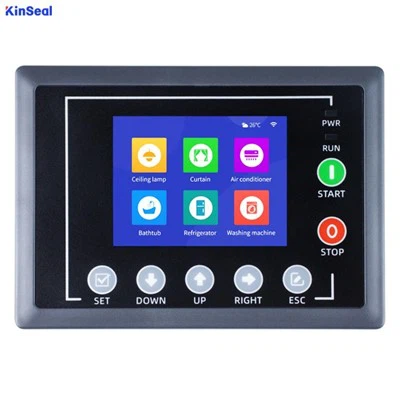
With the increasing popularity of home and building automation, HMIs have become more commonplace to control heating and air, lighting, security systems, and smart appliances. HMIs provide a convenient and streamlined control interface, which can include smartphone apps and voice-controlled devices, for a user to monitor and control an entire building.
Audio/Video production
One of the lesser-known HMI applications is audio/video production. Companies may use HMIs to control their microphones and video cameras.
Human Machine Interface (HMI) typically works through the use of graphical interfaces, such as touchscreens or computer monitors, that allow users to interact with machines or systems. The interface presents information in a way that is easy to understand and navigate, allowing users to monitor the performance of machines and adjust settings as needed.
To work effectively, an HMI must be designed with the user in mind. The interface must be intuitive and user-friendly, with clear labeling and easy-to-read displays. The information presented must be relevant and up-to-date, allowing users to quickly assess the status of machines and make informed decisions.
One important aspect of HMI systems is the ability to provide feedback to the user. For example, if a temperature reading is outside of a desired range, the system can provide an alert or warning to the user. This allows operators to take action quickly and prevent equipment damage or downtime.
Overall, the functionality of HMI systems is critical to the operation of many industrial and manufacturing processes. Effective HMI design can lead to improved productivity, increased safety, and reduced downtime, ultimately leading to cost savings and improved profitability for businesses.
How Can You Design Industrial HMI
Apply design principles
The second step in designing a HMI is to apply design principles that enhance the usability, functionality, and aesthetics of the interface. Such principles include simplicity, visibility, affordance, feedback, and error prevention and recovery. Simplicity ensures that the HMI is clear, concise, and consistent without unnecessary complexity or clutter. Visibility requires the appropriate display of information and feedback at the right time and place with colors, fonts, icons, and graphics. Affordance indicates the possible actions and interactions with familiar and intuitive controls and symbols. Feedback should be immediate and meaningful with auditory, visual, or tactile cues. Error prevention and recovery should be implemented using validation, confirmation, warnings, and undo functions.
Test and evaluate
The third step in designing a HMI is to test and evaluate the interface with real or potential users, using various methods and metrics. You should test the HMI in different stages of the design process, from low-fidelity prototypes to high-fidelity mockups, to collect feedback and identify issues. You should also evaluate the HMI in terms of usability, performance, satisfaction, and safety, using quantitative and qualitative data, such as surveys, interviews, observations, task completion time, error rate, and workload. By testing and evaluating the HMI, you can improve the design and ensure that it meets the user's and the system's requirements.
Consider the context
The fourth step in designing a HMI is to consider the context of use, such as the environment, the system, and the organization. When analyzing the factors that may affect the user's interaction with the HMI, you should take into account the physical and ambient conditions of the environment, such as lighting, noise, temperature, and vibration. Additionally, it's important to ensure that the HMI is integrated with the system's functionality, reliability, and security. Finally, it should align with the organization's culture, policies, and procedures in order to facilitate communication and collaboration among the user, the system, and other stakeholders.
Follow the standards
The fifth step in designing a HMI is to adhere to the standards and guidelines that apply to the specific industry, domain, and application. Standards and guidelines are sets of rules and recommendations that define the best practices and requirements for HMI design. They are essential for complying with legal and ethical regulations, ensuring the quality and consistency of the HMI, and avoiding common pitfalls and errors. Examples of standards and guidelines for HMI design include ISO 9241: Ergonomics of human-system interaction, ANSI/ISA-101.01: Human machine interfaces for process automation systems, NUREG-0700: Human-system interface design review guidelines, and NISTIR 8049: Guidelines for human-machine interface usability in industrial control systems.
Keep learning
The sixth step in designing a HMI is to keep learning and updating your knowledge and skills in HMI design. This dynamic and evolving field requires continuous learning and improvement, which can be achieved by staying up to date with the latest trends, technologies, and research in HMI design. This includes artificial intelligence, augmented reality, haptic feedback, and brain-computer interface. By following these steps, you can design a HMI that improves the safety and efficiency of industrial automation as well as the user's experience and satisfaction.
What Are the Essential Industrial HMI Maintenance Tasks for System Reliability
One of the most important HMI maintenance tasks is to backup your data regularly. This includes the HMI configuration, graphics, scripts, alarms, trends, and historical data. Backing up your data can help you restore your system in case of a hardware failure, software corruption, or accidental deletion. You should backup your data to a secure and accessible location, such as a cloud service, a network drive, or a removable device. You should also verify that your backups are complete and functional by testing them periodically.
Another essential HMI maintenance task is to update your software to the latest version. Software updates can provide bug fixes, security patches, new features, and performance improvements for your HMI. Updating your software can also ensure compatibility with other devices and systems in your network. You should check for software updates regularly and install them according to the manufacturer's instructions. You should also backup your data before updating your software and test your system after the update.
A third essential HMI maintenance task is to clean your hardware to remove dust, dirt, and debris. Dust and dirt can accumulate on the HMI screen, keyboard, mouse, and other peripherals, affecting their functionality and visibility. Debris can also enter the HMI enclosure and damage the internal components, such as the power supply, the fan, and the motherboard. You should clean your hardware with a soft cloth, compressed air, and a mild cleaner. You should also follow the manufacturer's recommendations for cleaning and avoid using harsh chemicals or abrasive materials.
A fourth essential HMI maintenance task is to calibrate your screen to ensure accurate and consistent display of the process data. Screen calibration involves adjusting the brightness, contrast, color, resolution, and orientation of the HMI screen. Screen calibration can improve the readability, clarity, and usability of the HMI graphics and text. You should calibrate your screen according to the ambient lighting conditions, the viewing distance, and the user preferences. You should also use the calibration tools and settings provided by the HMI software or hardware.
A fifth essential HMI maintenance task is to check your connections to verify the communication and power supply of your HMI. Connections include the cables, wires, connectors, ports, and terminals that link your HMI to the power source, the network, and the controllers. Connections can become loose, damaged, or corroded over time, causing intermittent or permanent failures of your HMI. You should check your connections visually and physically, and replace or repair any faulty or worn-out parts. You should also label your connections and use proper cable management techniques.
FAQ
We're professional industrial hmi manufacturers and suppliers in China, specialized in providing high quality products with low price. We warmly welcome you to wholesale discount industrial hmi in stock here from our factory.
windows based hmi, hmi system in automation, human machine interface