


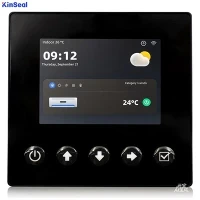


HMI
What is HMI
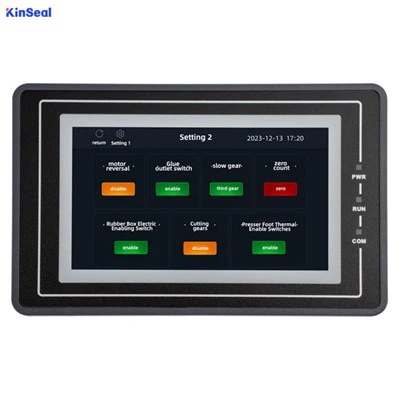
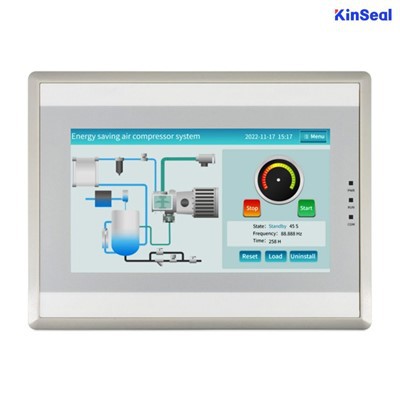
A human machine interface or HMI is defined as a feature or component of a certain device or software application that enables humans to engage and interact with machines. Some examples of common Human Machine Interface devices that we encounter in our daily lives include touchscreens and keyboards. HMIs utilized in the industrial context are mostly screens or touchscreens that connect users to machines, systems or devices. Factory operators use HMIs to control and automate machinery, as well as their production lines. HMIs can be simple screen displays mounted on machines in the factory, advanced touchscreens, multi-touch-enabled control panels, push buttons, computers with keyboards, mobile devices or a tablet.
Advantages of HMI
Improved Efficiency
HMI allows operators to easily access process data and input commands, which can improve the efficiency of the process being controlled. By presenting data in a clear and concise manner, operators can make more informed decisions and take timely action when necessary.
Increased Safety
HMI can improve safety by presenting alarms and other important information to the operator. This allows operators to take timely action to address potential problems before they become serious.
Remote Monitoring and Control
Many HMI can be accessed remotely, allowing operators to monitor and control processes from a distance. This can be particularly useful in applications where the process is located in a remote or hazardous location.
Easy to Use
HMI is designed to be easy to use, even for operators who may not have technical expertise. This makes them an accessible tool for controlling and monitoring industrial processes.


Why Choose Us
Team Introduced
Kinseal intelligent control focuses on technological innovation and product quality. It has an independent R&D and technical team. In addition to meeting the application design and development of conventional products, it is also good at providing customers with personalized customized product development and professional technical support services.
Wide range of applications
They are widely used in the fields of automotive instruments, charging piles of new energy vehicles, storage only, instruments and meters, artificial intelligence, home appliances, smart home, industrial automation equipment, handheld equipment, medical equipment, security equipment and so on.
Quality Control
Kinseal intelligent control products ensure superior performance and excellent quality of products through rigorous design and development, standardized production and strict quality control.
Our Factory
Shenzhen Kinseal Intelligent Control Technology Co., Ltd., established in 2015, is a national high-tech enterprise integrating R&D, production and sales. The company has been engaged in the development and application of industrial control touch screen, industrial control core board, human-computer interaction display terminal and serial human-computer interaction display module.
Types of HMI
The push button replacement screen
Push button panels have been replaced by touchscreen interfaces which enable centralized operation control of the entire process/machine from a single panel. This eliminates the need for numerous physical pushbuttons and makes machine operation much simpler. Interactive graphical buttons may be seen on the screen, enabling users to carry out a range of functions - like start-stop, homing, navigating through different pages or screens and resetting.
The overview screen
Panel viewers are usually employed to view scada and mes systems, giving you the capability to handle observe multiple machines/processes from one station. Not only does it make the operation of a single machine easier, but also substantially increases its efficiency.
The data dashboard screen
HMIs serve as an interface to display information related to the performance of a machine. They provide feedback insight into how the machine is operating, enable recipe programming and alert user to any warning alarms that occur. Additionally, graphs and other visualizations can be created on these HMIs for a quick summary of the overall production report.

Application of HMI
Pharmaceuticals
In the pharmaceutical industry, HMI are utilized to monitor and control a variety of processes, including drug production, packaging, and labeling. They provide operators with an intuitive interface for monitoring and adjusting parameters such as temperature, pressure, and dosage. In addition, HMI facilitate real-time monitoring of production lines, which ensures quality control and regulatory compliance.
Plastics and packaging
In Plastics and Packaging applications ‘on screen temperature' is a must. Injection Molding Machines, Extruders and Blow Molding Machines all require multi-zone Temperature control. Omron as a world leader in industrial temperature control has top not PID control and this is required for high quality plastic. The Recipe feature of the advanced HMI save time and errors in production run setup.
Manufacturing facilities
HMI play a vital function in manufacturing facilities across a variety of industries, including automotive, electronics, and consumer goods. They enable operators to control and monitor equipment such as conveyors, assembly lines, and robotic systems. HMI provide real-time data on machine performance, maintenance needs, and production output, enabling efficient production management and problem diagnosis.
Food and beverage industry
In the food and beverage industry, human-machine interfaces are utilized for recipe management, production control, and process visualization. HMI allow operators to configure cooking, combining, and blending parameters. In addition to providing information on ingredient quantities, processing times, and temperature controls, these interfaces ensure product quality consistency and regulatory conformance.
Water and wastewater management
In water treatment plants, effluent management facilities, and water distribution networks, HMI are indispensable. They assist operators in monitoring water quality, managing treatment processes, controlling pumps and valves, and detecting system defects to guarantee a safe and reliable water supply.
Transportation
The transportation industry, including railways, aviation, and marine sectors, utilizes HMI for monitoring and regulating a variety of systems, including vehicle operation, navigation, communication, and passenger information. HMI contribute to sustaining safety, optimizing fuel economy, and facilitating a pleasant travel experience.
Oil and gas
HMI are extensively utilized in the oil and gas industry for controlling and monitoring drilling, production, refining, and distribution operations. HMI provide operators with real-time data on parameters such as pressure, temperature, flow rates, and apparatus status, enabling them to make informed decisions and maintain operational safety.
Power and energy
HMI are utilized for administering and controlling power generation, transmission, and distribution in the power and energy sector, which includes power plants and electrical grids. HMI enable monitoring of energy consumption, grid stability, and apparatus performance, thereby optimizing energy production and ensuring grid dependability.
Vending machines
Modern vending machines increasingly incorporate HMI to improve the user experience and facilitate operations. Touchscreen interfaces on vending machines allow customers to conveniently peruse product options, select items, and make purchases. Remote monitoring of inventory levels, sales information, and machine performance enables efficient replenishment and maintenance.
What Are the Trends and Development Directions of HMI in the Market
High-performance HMIS
Operators and users are increasingly moving toward high-performance HMI, a method of HMI design that helps ensure fast, effective interaction. By only drawing attention to the most necessary or critical indicators on the interface, this design technique helps the viewer to see and respond to problems more efficiently, as well as make better-informed decisions. Indicators on high-performance HMIS are simple, clean, and purposely cleared of any extraneous graphics or controls. Other design elements, like color, size, and placement, are used with discretion to optimize the user experience. Learn more about designing high-performance HMIS here.
Touch screens and mobile devices
Touch screens and mobile devices are two HMI examples of technological advances that have emerged with the advent of smartphones. Instead of buttons and switches, modernized HMIS allow operators to tap or touch the physical screen to access controls. Touch screens are especially important when used with mobile HMI, which is either deployed through web-based HMI/scada or via an application. Mobile HMI offers a variety of advantages to operators, including instant access to HMI information and remote monitoring.
Remote monitoring
Mobile-friendly remote monitoring allows greater flexibility and accessibility for operators and managers alike. With this feature, an offsite control system engineer can, for example, confirm the temperature of a warehouse on a portable device, eliminating the need for onsite supervision after working hours. Soon, checking in on a process on your factory floor while being miles away from the facility won't seem like anything out of the ordinary.
Edge-of-network and cloud HMIS
Edge-of-network HMIS are also in high demand because they allow operators to access data and visualization from field devices. Additionally, it is becoming more common to send data from local HMIS to the cloud, where it can be accessed and analyzed remotely, while keeping control capabilities local.
How to Choose HMI
Weathering the elements
Environmental conditions for the target application must be evaluated first because the HMI must be able to survive physically at a location to even be considered a viable choice . Most of these choices are intuitive, but some are not.
HMIs located in environments where they are subject to falling water or directed washdown will need compatible ratings in NEMA 250 enclosures for electrical equipment standard or UL 50 listings. This is critical when cleaning chemicals, process chemicals or other airborne contaminants could impact the HMI. A site pollution degree or material safety data sheet may be available to help define expected environmental conditions. Customer specifications, along with local installation codes or preferences, may drive the need for certain ratings or listings.
Another key concern is whether the HMI will be located indoors or outdoors. NEMA and UL ratings commonly are constrained as “indoor use only.” Even the brightest HMIs struggle with sunlight glare outdoors and direct sunlight can cause heat issues. Users should consider locating outdoor HMIs into more protected areas or outfitting them with sunshields.
HMIs typically contain sensitive display elements and backlights and are likely to have more restrictive allowable operating temperature ranges than other automation components. The display brightness (usually expressed in nits) and the average backlight lifetime should be evaluated carefully. Brightness is a key indicator of how easy it will be to view the display while the always-on backlight life will indicate how long the unit is likely to last.
HMI physical display size and interface considerations
Choosing the right display size is often a balancing act. Most operators would prefer the largest display size possible, especially if they need to select touch links, but also if the application is view-only and if they want to observe the display from a distance. Bigger displays provide more real estate for programmers to develop graphics. HMI hardware product lines with a range of sizes can help users learn one system that is applicable to many different models.
Of course larger HMIs cost more and can chew up precious installation space for control panels. The display needs to be installed at a working height suitable for most employees, often considered to be around 66 inches from finished floor to the middle of the display.
Most HMIs offer many colors, but in addition to the display physical size, users should make sure to compare the resolution in pixels, which determines how detailed the graphics can be.
For some applications—particularly involving data entry—users would want to use an on-board physical keypad or an external keyboard and mouse. However, most designers are following the lead of mobile devices and looking for touchscreens.
It is important to note many consumer touch devices tend to use capacitive multi-touch. This technology usually won't sense gloved fingers and can be affected by water, but it does have the capability to interpret multiple concurrent touches or gestures. On the other hand, industrial HMIs often employ resistive single-touch technology. Resistive touchscreens can be engaged with gloved fingers and only respond properly to one touch at a time, which often is preferred for industrial applications.
Don't forget the memory
In addition to physical size, HMI offerings often are grouped with regards to memory and processor performance. They are rated for communicating a certain number of software tags and average displays. Careful designers will storyboard the anticipated graphics and do some rough estimates of tag counts to ensure they are within limits.
HMIs with expandable memory or multiple memory sizes may help to remove constraints. It's also important to remember advanced features such as on-board calculations and trending and recipes will impact HMI performance, so it's best to use conservative estimates.
It has become common for HMIs to support one or more SD Card slots so users can install their own removable storage for data logging. This feature is a must for any historizing and trending data applications.
Connectivity concerns
Connectivity is also a key factor for choosing an HMI. Most commonly, users will want an Ethernet port so the HMI can communicate on the programmable logic controller (PLC) network. However, in some applications, it may still be desirable to use serial RS232C or RS422/485 connections. Serial connectors are most commonly 15-pin D-sub type, but they also can be RJ-12 or even terminal block style. It is imperative the PLC connection requirements be defined prior to finalizing an HMI selection.
USB ports come in two versions: type A and type B. Type A ports (like on PCs) let users add accessories like a keyboard, mouse, memory stick, barcode scanner or other compatible interface devices. Type B (often found on printers) allows users to connect an upload/download programming cable from the PC directly to the HMI without impacting the Ethernet network.
Another feature that is becoming a must-have is an HDMI output port. An HDMI connection can drive a second off-board monitor such as a large-format TV located in the plant or facility. An operator can work locally on the HMI display while other operators can see the larger display from a distance.
Some of the Key Features of HMI
Data visualization through HMI screens
HMI screens display important information to operators in a clear and understandable manner. Through graphs, charts, indicators, and visual alarms, HMI provide a visual representation of data and system status to facilitate real-time decision making.
Control and operation
HMI enable operators to interact with the system and control its functions. Through buttons, virtual switches, sliders, and touch screens, users can start, stop, adjust parameters, and perform specific operations based on process requirements.
Configuration and programming
HMI also provide the ability to configure and program automated equipment or systems. Through an intuitive interface, users can set reference values, define sequences of operations, and customize settings to adapt the system to different requirements and conditions.
Diagnostics and maintenance
In addition to daily operations, HMI can help identify and resolve problems when faults or errors occur. It provides diagnostic tools, event logs, and alarms to enable technicians to detect and resolve problems effectively. In addition, HMI screens can also grant access to user manuals and related technical documentation.

How to Maintain HMI
Clean regularly
Maintain HMI by cleaning regularly using a soft, lint-free cloth or a screen-specific cleaning kit. Gently wipe the surface to remove dust, fingerprints, and other stains. Avoid using harsh chemicals, abrasive materials, or excessive moisture, as these can damage the screen or affect touch sensitivity.
Calibrate properly
Calibrate the touchscreen regularly or when necessary to maintain accurate touch response. Follow the manufacturer's instructions to properly calibrate the device. Calibration ensures that touch inputs are properly recognized, which enhances the user experience and reduces errors.
Protect from environmental factors
Maintain HMI from harsh environmental conditions. Protect them from direct sunlight, extreme temperatures, humidity, and liquids or chemicals. If necessary, use a protective cover or case to protect the device from dust, moisture, or accidental impacts.
Software and firmware updates
Update the software and firmware of your HMI interface regularly. Manufacturers frequently release updates to enhance performance, fix bugs, and address security vulnerabilities. Keeping your device up to date ensures compatibility with the latest software, optimizes functionality, and improves system stability.
Preventive maintenance checks
Incorporate preventive maintenance checks into your daily routine. Inspect the device for signs of physical damage, loose connections, or worn components. Regularly inspect cables, connectors, and mounting brackets to ensure proper operation and structural integrity.
FAQ
We're professional hmi manufacturers and suppliers in China, specialized in providing high quality products with low price. We warmly welcome you to wholesale discount hmi in stock here from our factory.
rtu hmi, unimat hmi, HMI Download Line