


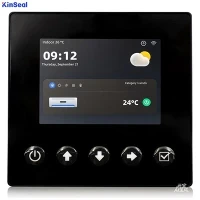


Industrial Human-Machine Interfaces (HMIs) are critical components in automation systems, providing operators with a visual interface to monitor and control industrial processes. However, like any technology, HMIs can encounter faults and malfunctions that require troubleshooting. Here are some common HMI faults and their possible solutions:
- Touchscreen Calibration Issues: Sometimes, the touch response on an HMI screen may be inaccurate or unresponsive. This can be due to calibration problems. To troubleshoot, access the HMI's calibration settings and perform a recalibration. Follow the manufacturer's instructions precisely for best results.
- Communication Errors: HMIs rely on communication protocols to interact with other devices, such as programmable logic controllers (PLCs). If communication errors occur, check the network connections and ensure that the HMI and other devices are using compatible protocols. Verify the IP addresses and network settings, and if necessary, reset the communication settings.
- Unresponsive or Frozen Screen: In some cases, the HMI screen may freeze or become unresponsive. This can be caused by software glitches or excessive system load. Restart the HMI and check for any software updates or patches available from the manufacturer. If the problem persists, it may indicate a hardware issue, and contacting technical support might be necessary.
- Power Supply Problems: An HMI may fail to power on or experience intermittent shutdowns due to power supply issues. Check the power cables, connectors, and voltage levels. Ensure that the power source is stable and meets the HMI's requirements. If the power supply unit is faulty, it may need to be replaced.
- Display Distortions: Display distortions, such as flickering, pixelated images, or color abnormalities, can affect the readability of the HMI. Verify the display settings and adjust the brightness, contrast, and resolution as needed. If the problem persists, it could indicate a faulty display panel or graphics card, requiring professional repair or replacement.
- Data Loss or Memory Errors: HMIs store historical data, alarms, and system configurations. If data loss or memory errors occur, it may disrupt operations and analysis. Ensure that the HMI's internal memory or external storage devices have sufficient capacity and are functioning correctly. Regularly back up critical data to prevent loss.
- Environmental Factors: HMIs are often exposed to harsh industrial environments, including dust, moisture, temperature variations, or vibrations. Such conditions can affect the performance and reliability of the HMI. Regularly clean the HMI, protect it from excessive moisture, and consider installing protective enclosures or screens to shield it from environmental hazards.
When troubleshooting HMI faults, it is essential to consult the manufacturer's documentation, user manuals, and online resources for specific guidance. If the issue persists or requires specialized knowledge, contacting technical support or an industrial automation expert can provide additional assistance. Regular maintenance, updates, and proper usage can help minimize faults and ensure the optimal performance of industrial HMIs.