


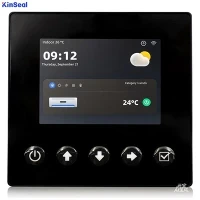


Every controlled electrical or mechanical machine has a human-machine interface (HMI) in the form of buttons, levers, or touchscreens. At a high level, the HMI has three basic elements: inputs, outputs, and something to handle the transitions between the two.
As we move into the Industry 4.0 era, this model is becoming a bit more complex. Designers are adding graphical user interfaces (GUIs), moving from physical to virtual buttons on the GUI, increasing the number of tasks the HMI can perform, and even displaying performance feedback in closed-loop systems.
General HMI Processor Requirements HMIs may have a number of requirements for embedded processors, depending on their intended end-use application.There are four levels of HMI performance: entry-level, basic, mid-range, and high-end.
Entry-level HMIs have a very basic user interface. The output screen is typically a quarter video graphics array (QVGA), up to 320 x 240, and has minimal 2D graphics. These HMIs are intended for cost-sensitive applications that require only the basics of a control interface. Designers may use resistive touchscreens here because they are more economical than capacitive touchscreens.
Not only are resistive touchscreens less expensive than capacitive touchscreens, but the BOM cost may also be lower because some processors can natively support resistive touchscreens, whereas capacitive touchs sometimes require external components. This type of HMI is best suited for low performance processors (<300 MHz) or microcontrollers that support resistive touchscreens.
Basic HMIs add improved display resolution and a better user interface than entry-level HMIs. A basic HMI will have a touchscreen-typically resistive-and a display resolution up to Extended Graphics Array (XGA) (1,024 x 768) for an improved user experience. Depending on the required application processing power, such processors will be in the low-to-mid performance range (300 MHz to 800 MHz) and may benefit from 2D graphics gas pedals.

Mid-range HMIs more closely mirror typical GUIs that users may interact with on a daily basis. mid-range HMIs have 2D graphics, display resolutions up to XGA (1,024 x 768), include more controls than the base category, and in some cases even introduce tactile or auditory feedback. These features greatly improve the user experience. For mid-range HMIs, the processor must include graphics acceleration, mid-range performance (600 MHz to 1 GHz), and a graphics library to help build the GUI.
High-end HMIs are naturally multimedia-rich. They require high-end SoCs with high-definition video support, 2D and 3D graphics gas pedals, and high-performance processors (multi-core and >1 GHz), which can greatly benefit from on-chip DSPs to help accelerate audio and video processing. In addition, high-end HMIs often require processors that can handle multiple high-resolution screen outputs and HTML5. One example is the Sitara processor family based on the Arm Cortex-A core, which provides the scalability needed to develop a single platform for entry-level to high-end HMIs and supports industrial reliability.
You can find HMIs in home appliances, vending machines, building automation systems such as fire control panels or elevators, and electric vehicle charging stations; however, one of the most common uses of industrial HMIs is in factory automation.
HMIs in Factory Automation Systems In factory automation systems, HMIs connect machine operators to control functions, usually programmable logic controllers (PLCs), which control sensors, actuators, and machines on the factory floor.HMIs are also more commonly included on the machines and robots themselves and, in some cases, manage some of the control functions within the HMI. These applications place a number of demands on the processor in the HMI, including the need for industrial communications capabilities, industrial-grade reliability, and security features.
The industrial communications standard Ethernet does not have the deterministic features required for industrial automation. This is where protocols designed for industrial communications come into play. Industrial Ethernet protocols enable the real-time, deterministic communications needed between different types of end devices in a control system.
More than a dozen different protocols have been created for Industrial Ethernet. Processing these protocols in an HMI requires a processor, FPGA, or ASIC. in many cases, the HMI will have a host processor and a separate ASIC or FPGA running a single protocol.
As an alternative to FPGAs or ASICs, integrated solutions exist that can serve as an industrial Ethernet application processor and communications engine; these solutions can even be extended to support multiple protocols.
Multi-protocol support in HMIs adds much-needed flexibility to Industry 4.0, as control systems in smart factories are often a patchwork of different solutions running different protocols. With multi-protocol support, the HMI can act as a gateway between different protocols.
In most cases, industrial-quality plants operate 24/7 year-round. And conditions can vary from below freezing to boiling temperatures, depending on what the plant produces. The HMI in the plant must be able to withstand these conditions, and so must the processors in it. It raises the need for industrial-grade processors in factory automation HMIs.
Industrial-grade processors must be able to withstand a wide range of temperatures, typically -40°C to 105°C. In addition, the long operating hours of factory equipment require extensive device life testing. One metric used to measure the life of a device is its power-on time (POH), which is the number of hours it can be powered up and running properly. Processors with a wide temperature range and a POH of more than 88,000 can essentially run for more than 10 years. Most industrial HMIs need to meet a minimum of 100,000 POH.
Security Although the HMI and the rest of the control network are typically configured on an internal Ethernet network isolated from the main Internet, there is still the possibility of a malicious party eavesdropping on or altering communications between the HMI and the rest of the system. To help stop unwanted interference, embedded processors often integrate cryptographic gas pedals to encrypt data. Secure boot is another popular security option that can help protect the intellectual property of the HMI manufacturer.
Other HMI Aspects Because an HMI is primarily a user interface, it requires the use of a high-level operating system (OS) Popular operating systems for HMIs include Windows CE, Android, and Linux Windows CE has been popular for HMIs for many years, especially in the factory automation space, but Android and Linux are gaining attention for several reasons. Windows CE has been popular in HMIs for many years, especially in factory automation, but Android and Linux have gained attention for several reasons.
First, Android and Linux are open source operating systems, which means they are free to implement. In addition, because they are open source, there is a large community that supports the software and provides sample code for each operating system.
Android is popular in systems where a large number of users will be interacting with the HMI, such as in vending machines or appliances. android is already popular in the handheld market, so the learning curve is minimized for newcomers to HMIs who may already be familiar with the operating system.
In factory automation, Linux has become the likely choice because it is widely recognized as stable, reliable and secure. Many industrial HMIs do not need all the features that come with Android. On the other hand, Linux also supports frameworks such as Qt and the Open Graphics Library (OpenGL), which helps to build effective GUIs.
Another feature that is gaining popularity in HMIs is virtualization. As mentioned earlier, HMIs are commonly integrated with other end devices such as PLCs, industrial robots, and CNC machines. One method of integration is to have separate processors for the HMI and other applications, but this can be expensive and require additional board space.
Another approach is to use a single multi-core processor, with one core dedicated to the HMI and another core dedicated to the application. Depending on whether real-time operation is required, the cores can run different operating systems such as RTOS and Linux.
To summarize HMIs cover a wide range of end-use applications at all performance levels, but have some common features including GUIs, connectivity to control systems, and touch-based control. The processor must be able to support at least these entry-level HMI requirements. Basic, mid-range, and high-end HMIs can further utilize these features, including high-definition graphics, web browsing, video, and multi-screen support.