

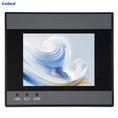
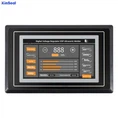


HMI design can be realized using a variety of software, commonly used software includes the following:
Adobe Photoshop: Photoshop is a popular image editing software that can be used to design HMI visuals such as icons, buttons, and backgrounds.
Sketch: Sketch is a vector graphics editing tool specialized for UI and UX design with good layer management and layout features.
Figma: Figma is an online UI design tool for collaborative design, real-time preview and interaction design, etc.
Adobe XD: Adobe XD is a UI/UX design tool from Adobe that allows prototyping, designing, sharing and many other features.
Axure RP: Axure RP is a professional interactive prototyping tool that allows you to quickly prototype human-computer interfaces, conduct user experience testing, and more.
InVision: InVision is an online prototyping tool for prototyping, sharing, collaborating and testing.
The above are some common HMI design software, the specific use of which software, you need to choose according to the designer's needs and personal habits.
What equipment is usually included in HMI
HMI usually includes the following devices:
Keyboard: Entering text and commands by pressing different keys.
Mouse: Control the cursor and select objects by moving and clicking the mouse.
Touch screen: Input and control through finger touch and swipe.
Stylus: Input text and commands by writing on the screen with the stylus.
Voice Recognition Devices: Control computer systems through voice input.
Camera: Capturing images through a camera to enable interaction.
Monitor: Used to present the graphical interface and results of a computer system to the user.
Printer: Used to output the results of the computer system onto paper.
Control elements such as buttons, sliders, menus, etc.: used to provide direct control to the user.
All of these devices are important components of the human-computer interface, through which the user can easily interact with the computer system.