


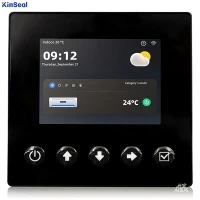


Industrial control panels are mechanical playgrounds, featuring switches and buttons, linear or rotary potentiometers driven by wheels and sliders. Being mechanical, they can become sources of problems, from solder joints to moving parts. Built for a specific set of control tasks, reconfiguring the board for anything else is difficult, if not impossible. They are not easy to learn how to use, and for complex operations, they are often accompanied by screens to display the device's status.
Today, these are a dying breed. Instead, new devices are entirely solid-state; they utilize touchpads on displays driven by GUIs (Graphical User Interfaces). By altering the screen image, areas above the touch panel visually link to different functions. This means the system can not only be reconfigured but also guide users through operations-perhaps during startup or shutdown, or when anomalies occur. While this approach offers a more robust, easier-to-clean interface with broader environmental tolerance, it comes at a cost: software, often complex software.
Naturally, the various devices controlled by the screen are themselves managed by processors and software. Individual machines communicate with each other and with the overall system controller via some form of bus, such as CAN or Industrial Ethernet. Robust real-time control elements are often required, and applications may be safety-critical. Consequently, the entire system architecture must be designed to isolate the touchscreen controller and GUI from the overall system data, except through securely defined interfaces. This ensures that any issues with the GUI software do not compromise the safety of the entire system or individual devices.
This isolation may arise from running all GUI and touchscreen activities on a separate processor running a general-purpose operating system, while controlling activities run on a real-time operating system on its own processor. The processors may be physically independent devices, independent cores on a single chip, or virtual cores created by virtualization software.
In this article, while we will examine physically independent controllers, most of the discussion also applies to touchscreen controllers running within virtual cores.
 Figure 1: Touchscreen control in an industrial HMI environment. In this scenario, the same MCU/MPU appears to be running two devices: one connected to the PLC via CAN bus, and the other operating the touchscreen interface.
Screen Technology
While multiple touchscreen technologies exist, capacitive and resistive technologies are the two most prevalent and dominant in the market.
Resistive screens typically consist of two layers of glass or plastic separated by an air gap. One layer features horizontal conductive wires, while the other has vertical wires. Pressure applied to the top layer connects these wires, providing XY coordinates. Though specific implementation details vary, the screen usually connects to a controller via four ports.
Capacitive sensing screens employ various detailed techniques but rely on conductive substances (such as fingers) to alter the capacitance of the screen area, then detect this change as XY coordinates. Capacitive sensing has limitations in industrial applications: if fingers are inside gloves, especially heavy work gloves, there may be insufficient capacitance change to measure, and environmental factors like RF emissions can affect capacitance. Both technologies support multi-touch input-for example, two fingers spreading apart or pinching together to zoom in or out on GUI elements.
Screen sizes vary significantly. At one end of the spectrum are large 32-inch displays from manufacturers like 3M; at the other, screens as small as 3.5" diagonal (2.83" x 2.07").
GUI
The touchscreen displays some form of GUI. This can be a generic interface, such as a version of Windows, or it can be an interface specifically generated for the application. Clearly, the amount of memory available in the controller will be a significant factor in selecting the interface. Other factors include the complexity of the required display, cost constraints, and the size of the display.
The quality of displayed images is not always thoroughly explored. Selecting a few symbols or icons from a library and placing them on the screen is rarely sufficient. Considerable research exists on interface design, and a group within the ISA (International Society of Automation) appears to be working on the ISA101 standard.
 Figure 3: Atmel incorporates dedicated touchscreen interfaces in many of its processors, with some also featuring hardware QTouch acquisition as a dedicated peripheral interface.
Microcontrollers
Many microcontroller manufacturers now offer touch sensing support, though these are typically targeted at handheld and portable devices. In the industrial sector, Atmel has been a key player, particularly following its acquisition of Quantum Research, a manufacturer of touch-sensitive devices-specifically sliders, wheels, and buttons. Beyond its extensive AT42QT dedicated touchscreen controllers, the company developed the QTouch touchscreen control software library for microcontrollers and added a "touch channel" for interfacing touchscreens with numerous processor families, including AVR UC3 and AT Mega and X Mega series, as well as LCD controllers. Some models, such as certain members of the tinyAVR series, also incorporate hardware QTouch acquisition. These microcontrollers are supported by a variety of development and evaluation kits.
Texas Instruments (TI) has developed a series of touchscreen application "Smart Display Modules" based on the ARM Cortex-M3 Stellaris processor. These serve as reference designs and are supported by schematics, bills of materials, Gerber files for PCB layout, and sample applications. Furthermore, TI will expand beyond this scope and offer the modules for volume sales, simplifying production for specific applications. Three models are available, all targeting industrial applications with temperature-hardened processors. Options include Power over Ethernet and Gigabit Ethernet, each featuring a 2.8-inch screen with a larger 3.5-inch screen option. These products are supported by Stellaris software and graphics libraries, along with the broader ecosystem surrounding the Cortex-M3.
Infineon has introduced a touch-sensing controller as one of the peripheral interfaces for its XC82x and XC83x 8-bit microcontrollers. The controller is primarily designed for simple LED buttons, sliders, or wheel panels, sharing the screen interface with the LED matrix controller via time-division multiplexing.
Microchip has developed "Metal Cap" capacitive sensing technology. This technology places a front panel (which can be stainless steel, aluminum, or other suitable materials) on a PCB, with a small air gap between them. The symbols on the top surface represent sensors on the PCB. Pressure causes the top surface to deflect, altering the gap between the panel and the sensors, thereby changing the capacitance. Depending on the application, control software can distinguish between soft and hard touches. Metal Cap is particularly relevant for industrial environments requiring simple switching, and the mTouch software library supports capacitive touch. Many 8-bit, 16-bit, and 32-bit members of the PIC microcontroller family support this feature. It is combined with display control, CAN bus interfaces, and USB interfaces in certain products. To support this application, we offer a range of development and evaluation kits.
 Figure 4: Microchip's "metal-covered" sensor utilizes a metal panel that deforms to alter capacitance.
The vast majority of microcontroller products for touchscreen control are used in portable and handheld devices. Many microcontroller suppliers have developed touchscreen control libraries that run on their standard products, communicating with controllers through standard general-purpose I/O (GPIO) channels. While these libraries can be used in industrial control applications, the processors running them may not withstand the harsh conditions typically associated with industrial environments. This is particularly true when microcontroller designers prioritize low power consumption-not surprising for portable devices where battery life remains a primary concern.
Touchscreen interfaces will play an increasingly vital role in industrial automation due to their inherent robustness and ability to withstand the harsh realities of manufacturing environments. However, while seemingly easy to deploy, designers must pay close attention to interface design and the relationship between interface software and software running safety-critical applications for them to function effectively.