


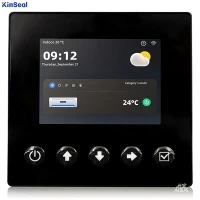


Writing touch screen and PLC programs is a complex process that involves multiple aspects of knowledge.
I. Overview of touch screen and PLC
1. Overview of touch screen
Touch screen is an interactive input device, the user can touch the screen to realize the control of the device. Touch screen is widely used in industrial automation, smart home, medical equipment and other fields.
2.PLC Overview
PLC (Programmable Logic Controller) is a programmable logic controller, used to realize industrial automation control. PLC has a high degree of reliability, flexibility and ease of use, and is widely used in a variety of industrial control situations.
II. Touch screen and PLC connection
1. Wired connection
Wired connection is the most common connection between touch screen and PLC. Through RS232, RS485, Ethernet and other communication interfaces, data transmission between touch screen and PLC can be realized.
2. Wireless connection
Wireless connection is a new type of connection, through Wi-Fi, Bluetooth, ZigBee and other wireless communication technologies, you can realize wireless data transmission between touch screen and PLC.
III. Selection of touch screen programming software
1. Select according to the touch screen brand
Different touch screen brands may use different programming software, such as Siemens WinCC, Mitsubishi GT Designer and so on. When choosing programming software, you need to choose according to the brand of the touch screen.
2. According to the PLC brand selection
Different PLC brands may use different programming software, such as Siemens' STEP 7, Mitsubishi's GX Works and so on. When choosing programming software, you need to choose according to the brand of PLC.
IV. Touch screen interface design
1. Interface Layout
The interface layout is the basis of the touch screen interface design, which needs to be reasonably laid out according to the actual needs. Common layout methods are list, table format, graphical and so on.
2. Control Selection
Controls are the basic elements of the touch screen interface, including buttons, text boxes, charts and so on. When choosing controls, you need to choose according to the actual needs.
3. Interface beautification
Interface beautification is an important means to improve the visual effect of the touch screen interface, including color matching, font selection, animation effects and so on.
V. PLC Programming
1. Determine the control logic
The basis of PLC program design is to determine the control logic, including input/output relationships, control sequence, conditional judgment and so on.
2. Write program code
According to the control logic, the use of PLC programming language (such as ladder diagrams, instruction lists, structural text, etc.) to write program code.
3. Debugging and optimization
After writing the program code, you need to debug and optimize to ensure the correctness and stability of the program.
VI. Touch screen and PLC communication settings
1. Setting communication parameters
When communicating between the touch screen and PLC, it is necessary to set communication parameters, such as communication interface, communication rate, data format and so on.
2. Write the communication program
According to the communication parameters, write the communication program between the touch screen and PLC to realize the transmission and reception of data.
VII. Touch screen and PLC joint debugging
1. Separate debugging
Before the joint debugging, the touch screen and PLC need to be individually debugged to ensure that their respective functions are normal.
2 joint debugging
After the completion of separate debugging, the joint debugging of the touch screen and PLC, check whether the communication is normal, whether the program can be correctly executed.
VIII. Application cases of touch screen and PLC
1. Industrial automation production line
In the industrial automation production line, touch screen and PLC can realize real-time monitoring and control of the production line to improve production efficiency and product quality.
2. Intelligent home system
In the intelligent home system, touch screen and PLC can realize the centralized control of home equipment and improve the intelligent level of home.
3. Medical equipment
In medical equipment, touch screen and PLC can realize the precise control of equipment and improve the safety and reliability of medical equipment.
IX. Touch screen and PLC development trend
1. Intelligent
With the development of artificial intelligence technology, touch screen and PLC will be more intelligent to achieve autonomous learning and optimal control.
2. Networking
With the development of Internet of Things technology, touch screen and PLC will be more networked to achieve remote monitoring and control.
3. Integration
With the development of technology, touch screen and PLC will be more integrated to achieve multi-functional integration.
X. Notes on the touch screen and PLC
1. Anti-interference
In the use of touch screen and PLC, you need to pay attention to anti-interference to ensure the stability of communication.
2. Security
In the design and use of touch screen and PLC, you need to pay attention to security to avoid electric shock, fire and other safety incidents.
3. Maintenance and upgrading
In the process of using the touch screen and PLC, it is necessary to pay attention to maintenance and upgrading to ensure the long-term stable operation of the system.