


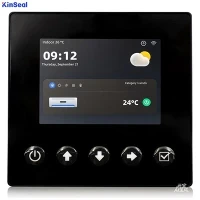


Human-Machine Interface (HMI) touch screen programming is a technology widely used in industrial automation, smart home, medical equipment and other fields. In this paper, we will introduce the basic concepts of HMI touch screen programming, hardware selection, software tools, programming methods, debugging skills and other aspects in detail.
1. HMI touch screen programming overview
1.1 What is HMI touch screen programming
HMI touch screen programming refers to the process of developing user interface and interaction logic for touch screen devices through programming languages or graphical interface design tools.HMI touch screen is usually used to display device status, control device operation, collect user inputs and so on.
1.2 Importance of HMI touch screen programming
- Improve productivity: Through an intuitive interface, operators can quickly understand the status of the equipment and reduce operational errors.
- Enhance user experience: a friendly user interface can improve user satisfaction and enhance product competitiveness in the market.
- Reduce maintenance cost: Centralized control and monitoring can reduce on-site maintenance work and maintenance cost.
2. Hardware Selection
2.1 Touch screen type
- Resistive touch screen: lower cost, suitable for industrial environments.
- Capacitive touch screen: high sensitivity, suitable for consumer electronics.
2.2 Display
- LCD: rich color, moderate cost.
- OLED: high contrast, low energy consumption, but high cost.
2.3 Processor
According to the application requirements to choose the appropriate processor, such as ARM, RISC-V, etc..
2.4 Memory and Storage
Select the appropriate memory and storage capacity according to the program size and operation requirements.
3. Software tools
3.1 Programming Languages
- C/C++: for low-level development, high performance.
- Python: easy to learn, suitable for rapid development.
- Java: suitable for cross-platform applications.
3.2 Development Environment
- Qt: cross-platform C++ GUI application development framework.
- LabVIEW: graphical programming environment for data acquisition and instrumentation control.
- Eclipse: open source integrated development environment, supports multiple programming languages.
4 Programming Methods
4.1 Designing User Interface
Use graphical interface design tools, such as Qt Designer, Adobe XD, etc., to design the user interface layout.
4.2 Write Interaction Logic
Write corresponding event handler functions according to user actions.
4.3 Data Binding
Bind user interface elements with back-end data to realize real-time data update.
4.4 Multi-threaded Programming
To improve the response speed of the program, use multi-threading to handle time-consuming operations.
5. Debugging Techniques
5.1 Unit Testing
Unit testing is performed for each functional module to ensure the correctness of the code.
5.2 Performance Optimization
Analyze program performance bottlenecks and optimize algorithms and data structures.
5.3 Exception Handling
Write exception handling code to ensure that the program can recover gracefully in case of errors.
5.4 User Feedback
Collect user feedback to continuously improve the user interface and functionality.
6 Example Analysis
6.1 Industrial Automation Control System
Design an HMI touch screen interface for controlling a production line, including device status display, operation buttons, and alarm messages.
6.2 Intelligent Home Control System
Design an HMI touch screen interface for controlling home equipment, including lighting control, temperature adjustment, security system, etc.
7. Security and reliability
7.1 Security design
Ensure that the data transmission and storage of the HMI system are safe from unauthorized access.
7.2 Reliability Design
Design redundant system and fault detection mechanism to improve system stability and reliability.
8 Future Development Trends
8.1 Artificial Intelligence Integration
Integrate artificial intelligence technology into the HMI system to realize intelligent diagnosis and predictive maintenance.
8.2 Internet of Things (IoT) Integration
Connect the HMI system with IoT devices to realize remote monitoring and control.
8.3 Augmented Reality (AR) and Virtual Reality (VR) Technology
Utilizes AR and VR technologies to provide a more intuitive and interactive user interface.
9 Conclusion
HMI touchscreen programming is a comprehensive technology that involves multiple fields and requires developers to have interdisciplinary knowledge and skills. With the continuous development of technology, HMI touch screen programming will be more intelligent and personalized, providing users with a more convenient and efficient interactive experience.