


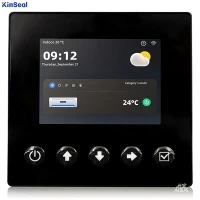


If a PLC is already integrated, connecting the HMI to the system may be an easy task. This connection is as simple as connecting a USB/RS-232/RS-485 cable between the HMI and the PLC. In some cases, both units are equipped with wireless capability, making the connection even easier. While wiring between the PLC and the HMI may be easy, wiring between the PLC and the actual automation line may be more difficult. Depending on the size and complexity of the application, the PLC may require a PROFIBUS extension, which is similar to a power strip that expands one input/output to multiple inputs/outputs by connecting to the PLC's expansion port. It is highly recommended to use a wiring diagram from the production line to the PLC, as this can significantly speed up the programming of the HMI.
HMI and PLC
How can I control a PLC without ladder logic and how can HMI replace the standard software that comes with the PLC? Ladder logic is only conditional programming. For example, if input 1 is energized, coil 1 will be energized. The statement must be true for the output to be executed. The same thing can be accomplished using C programming. However, in order to program the HMI to operate the PLC correctly, all of the PLC's registers must be known. A good way to learn how to program a PLC through an HMI is to first start using the PLC and its accompanying software. This helps to understand how to operate the PLC without the HMI, and this knowledge is easily transferred when the user is ready to connect the two units together.