


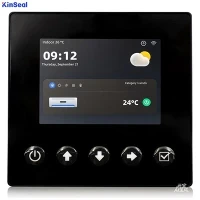


Human-Computer Interaction (HCI) is a discipline that studies the interaction between humans and computers. With the development of computer technology, HCI methods are constantly evolving and innovating. The following is an introduction to various HCI methods:
1.Graphical User Interface (GUI)
Graphical User Interface (GUI) is one of the most common human-computer interaction methods. It realizes user-computer interaction through graphical elements (such as icons, buttons, menus, etc.). Users can manipulate these graphical elements through input devices such as mouse and keyboard to realize the control of the computer.
1.1 Windows and Icons
A window is one of the most basic elements of a GUI, which provides an independent work area that can contain a variety of controls and components. An icon is a thumbnail of a window, usually used to represent an application or file.
1.2 Menus
Menus are a way of organizing and presenting commands in a GUI. The user can click on a menu item to perform the appropriate action.
1.3 Buttons and Controls
Buttons are controls used in a GUI to trigger events. Users can click on a button to perform a specific action. In addition to buttons, there are many other types of controls in a GUI, such as text boxes, drop-down lists, check boxes, and so on.
1.4 Drag and Drop
Drag-and-drop operations are an intuitive way of operating in a GUI. Users can drag an object to a specified location with the mouse to realize the operation.
1.5 Toolbar and Status Bar
The toolbar is an area of the GUI for quick access to frequently used functions. The status bar is used to display information about the current status of the application.
2. Command Line Interface (CLI)
Command Line Interface (CLI) is a text-based interaction method where the user interacts with the computer by entering commands. The user interacts with the computer by typing commands.CLI is usually used by professionals such as programmers and system administrators.
2.1 Command Prompt
The command prompt is the basic element of the CLI that prompts the user to enter commands.
2.2 Commands and Parameters
Commands are instructions entered by the user, and parameters are additional information to the command that specifies the specific behavior of the command.
2.3 Scripting
Script programming is a way to automate command line operations. Users can write scripts to accomplish complex tasks.
3. Voice Interaction
Voice interaction is a way of human-computer interaction through speech. Users can control the computer through voice commands.
3.1 Speech Recognition
Speech recognition is the process of converting the user's voice into text. It is the basis for realizing voice interaction.
3.2 Speech Synthesis
Speech synthesis is the process of converting text into speech. This enables the computer to interact with the user through speech.
3.3 Voice Commands
Voice commands are instructions given by the user through speech. The computer needs to recognize and execute these commands.
4. Touch Interaction
Touch interaction is a way to realize human-computer interaction by touching the screen. The user can operate directly on the screen.
4.1 Multi-touch
Multi-touch technology allows users to operate with multiple fingers at the same time. This makes touch interaction more intuitive and flexible.
4.2 Gesture Recognition
Gesture recognition is the process of recognizing the user's gestures on the screen and converting them into actions. This makes touch interaction more rich and diverse.
5. Gesture Control
Gesture control is a way to realize human-computer interaction by recognizing the user's gestures. The user can control the computer through specific gestures.
5.1 Air Gesture
Aerial gestures are a way of enabling interaction by recognizing the user's gestures in space. This usually requires the use of a camera or other sensor to capture the gesture.
5.2 Physical Gestures
Physical gestures are a way of enabling interaction by recognizing the user's gestures on the device. This usually requires the use of a touchscreen or other sensor to capture the gesture.
6. Eye Tracking
Eye tracking is a way of realizing human-computer interaction by tracking the user's eye movements. Users can perform actions by gazing at elements on the screen.
6.1 Line of sight tracking
Line-of-sight tracking is a way of realizing interaction by recognizing the direction of the user's line of sight.
6.2 Pupil Tracking
Pupil tracking is a method of interaction that recognizes the position of the user's pupils.
7. Brain-Computer Interface (BCI)
Brain-Computer Interface is a way to realize human-computer interaction by directly reading the user's brain waves. This usually requires the use of special sensors to capture the brain waves.
7.1 Neurofeedback
Neurofeedback is a way of realizing interaction by monitoring changes in the user's brain waves. The user can control the computer by changing the brain waves.
7.2 Brainwave Control
Brainwave control is a way to realize interaction by directly reading the user's brainwaves. The user can control the computer through specific brainwave patterns.
8. Virtual Reality (VR)
Virtual Reality is a way to realize human-computer interaction by creating a three-dimensional virtual environment. Users can immerse themselves in this environment and interact with virtual objects.
8.1 Head-mounted display
A head-mounted display is the basic device of VR, which provides an immersive visualization.
8.2 Position Tracking
Positional tracking is a way of interacting by monitoring the user's position in the virtual environment.
8.3 Gesture Recognition
In VR, gesture recognition can be used to enable more natural and intuitive interactions.